Touchtv

We’re very excited today to introduce Touchtv (available free on the App Store). We designed Touchtv to bring together the magic of watching TV with the revolutionary iPad. Now you can literally watch what you want any time, anywhere.

Touchtv actually makes TV lighter. Touchtv is light enough you can hold it in your hands. It’s amazing to be holding your iPad and watching your favorite sports, entertainment, and news channels.

And it’s just great to personalize too. The Channel Guide is built right into your Touchtv. Simply add any channel you want and then touch it to start watching.

Also for the channels in Touchtv we’ve continued to take a partnership approach and are showing the exact programs our partners have made available. We think there’s a lot of great content to view and want to make sure everyone who’s a part of Touchtv is happy.

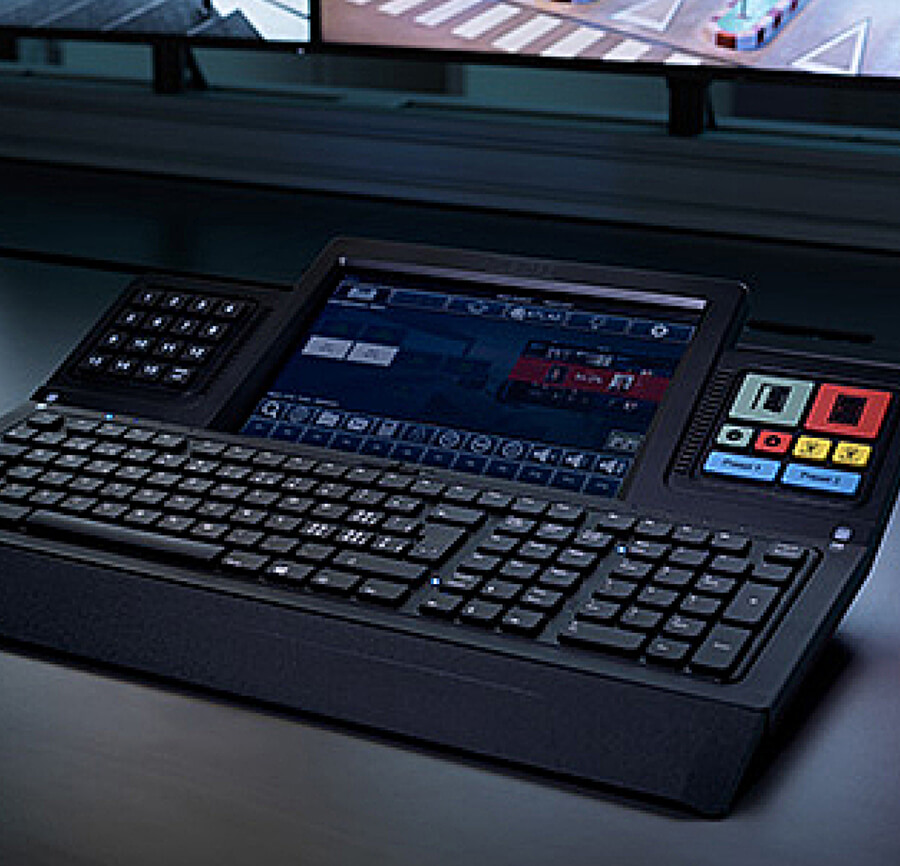
One of the other things I really like has become using Touchtv to see what’s on. I don’t have to keep clicking and clicking through each channel. I just turn on Touchtv and have a single seamless sheet of glass, that shows everything I want. Take a look.

Touchtv

It’s an all-new design that makes choosing what you want easier than ever before. Plus every time you turn on Touchtv it automatically and effortlessly shows you what’s new. Just like TV, it just works.

We’d love to hear what you like watching on and what you think by tweeting to @touchtv.

Thanks,
Kevin
@kevinpomplun

We are so excited about our newest addition to the Grid!

charity: water is a non-profit organization bringing clean and safe drinking water to people in developing nations.

Now you can get the latest news, tweets, and photos to stay up to date on how charity: water is bringing more clean water to more people in the world on SkyGrid.

Follow charity: water today by downloading SkyGrid on your Android or Apple device here.

Customize how you want to read your news on SkyGrid by tapping on on the Green Ribbon.

Next, scroll down to the Design & Layout section, and tap on Grid View or List View.  Come back anytime to switch views!

With the latest version of SkyGrid, you can now customize how you want to read your SkyGrid news! Do pictures speak a thousand words? Or do you just want to be able to quickly scan all the headlines at once? Now you don’t have to choose between one or the other, switch between the two layouts whenever you feel like it.

 

You can customize your SkyGrid design by scrolling down and choosing Grid View or List View, add more items to Your News, or Share the App by tapping on the green ribbon.  Get the latest version of SkyGrid here.

Cheers,
April

Get Style On The Grid

November 10, 2011

We’re so excited to launch the Style section for all our readers to enjoy. If you’ve ever wondered what it was like to go behind the scenes at an exclusive fashion event, see which designer is causing the latest buzz, or see the latest videos, photos, and stories… look no further than our Style section!

Style has been created exclusively for SkyGrid, curated by Debra Scherer, Founder of The Little Squares, and former staff member of American, Italian, and French Vogue. Only Style on SkyGrid lets you stay up to date on all the hottest sources and fashion topics.

With just one tap, follow sources like W Magazine, Style Rookie, WWD, or topics like Miuccia Prada, The Duchess of Cambridge, and more.

Get Style on the Grid now! For both iOS & Android.

April

We’re excited to release the latest version of SkyGrid the same day that Apple releases iOS5, including the most talked about features of iOS 5:

iCloud. Your Followed Interests are now automatically and effortlessly synced across all your iOS devices.  It’s been one of the most requested features since SkyGrid launched and we’re happy to be able to deliver it via iCloud.


iMessage. Having a new option to share breaking news and articles in your Following Grid is simply cool. Just tap the iMessage icon and you can instantly share what you just read.

Notification Center.  Receive alerts on key updates for the exact topics & sources you follow!

You can download the latest version here.

Brett

We’ve got a new version that was just released: more great design, fast performance on all networks and alerts on topics you follow.

New design detail including updated badges, “new” ribbons, richer images in your Following Grid, cleaner and lighter design in What’s Hot, and Item Grids with easier to read sources and titles. Easier 1-tap following also now on iPhones.

Fast performance displaying images on all networks. Whatever network speed you’re on, you can now be assured that the app will perform great.

Alerts on topics you follow. Now you can get alerts when topics you follow, such as your favorite sports team, have new stories.

And last, a nice overlay tutorial showing navigation tips. Get it here.

Brett

We’re excited to release this version with an all-new design. The beautiful Photo Grid™ is now available for every section – What’s Hot, Following, and Categories!

  • More Beautiful Images means more crisp and sharp images in every Grid.
  • Natural Navigation means you can effortlessly swipe left & right from one Home screen to another and seamless up & down scrolling shows you more stories.
  • Even More Interests To Follow. The updated Choose Your Interests Guide gives you Top 100 Topics, Top 100 Sources, and millions of topics you can follow with any keywords you want!
  • The Great Green Ribbon. You can now tap the new green ribbon from anywhere to instantly add more topics or sources to your Following Grid.

You can get the new version here. We’d love to hear your feedback.

Brett

We’re very excited for the launch of SkyGrid on Android Tablets.  It is completely custom designed and tailored for Android Tablet users.  Now just like on iPad, iPhone, and Android handhelds, Android Tablet users are effortlessly able to follow their interests and get updates on the things they care about.

Below is a quick overview of some of the most exciting new features.

1. Custom Design. Tailored just for your Android Tablet.

2. More Photos. Now every stream has photos gathered from all over the web.

3. Even Better Following. “Information Velocity” continues to get better and better at finding updates on your interests!

Get it here for free and leave us a review on the Android Market!

As usual we’re listening and excited to keep delivering the best way to follow your interests.

Brett

We’re excited to release the best SkyGrid yet for iPhone & iPad.

The first thing you’ll notice when you open the app is the bright and large photo grid of all the Featured Stories. This feature instantly brings the stories to life and makes it easy to see what’s hot now.

The new version also makes it easier than ever to just tap “follow” on any topics or sources you care about.  Also, the overall look & feel is now clean and simple, to make following your interests more fun!

Thanks for the great first comments we’ve already received and we’re looking forward to hearing about what interests are your favorite to follow!

Get the new SkyGrid here!

Brett

SkyGrid Team